

Choose and add prompts
Choose the questions Temso asks AI models for your client, and add them one at a time, from a CSV file, or with AI.
Build your client's prompt list: the questions Temso asks AI models for the client.

What makes a good prompt
A prompt is a question that a buyer asks an AI model. Write it the way the buyer would ask it, for example Which standing desks fit a small apartment? Keep the questions that people ask before they buy, and leave out the ones they ask after.
Temso asks every active prompt on each AI model you track, on the monitoring schedule, and shows which brands the responses mention.
Before you start
Add the client's offerings and personas in the Brand section. You need offerings to generate prompts, and both let you break down the results later. If the project has no brand yet, Temso asks you to set it up first.
Three ways to add prompts
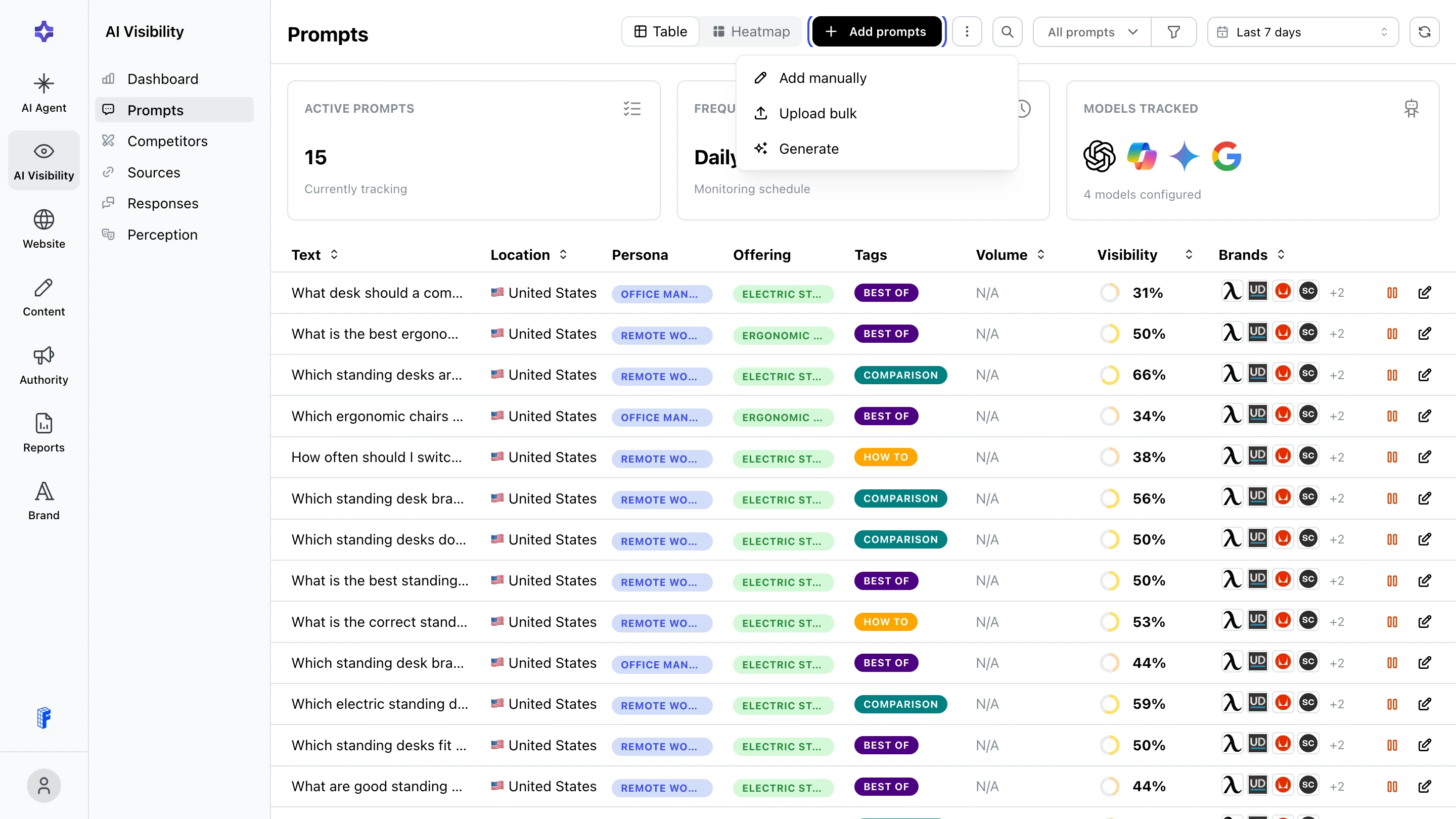
Open Prompts under AI Visibility and click Add prompts:
- Add manually: one prompt at a time.
- Upload bulk: many prompts from a CSV file.
- Generate: Temso suggests prompts from the client's offerings and personas.
Add one prompt
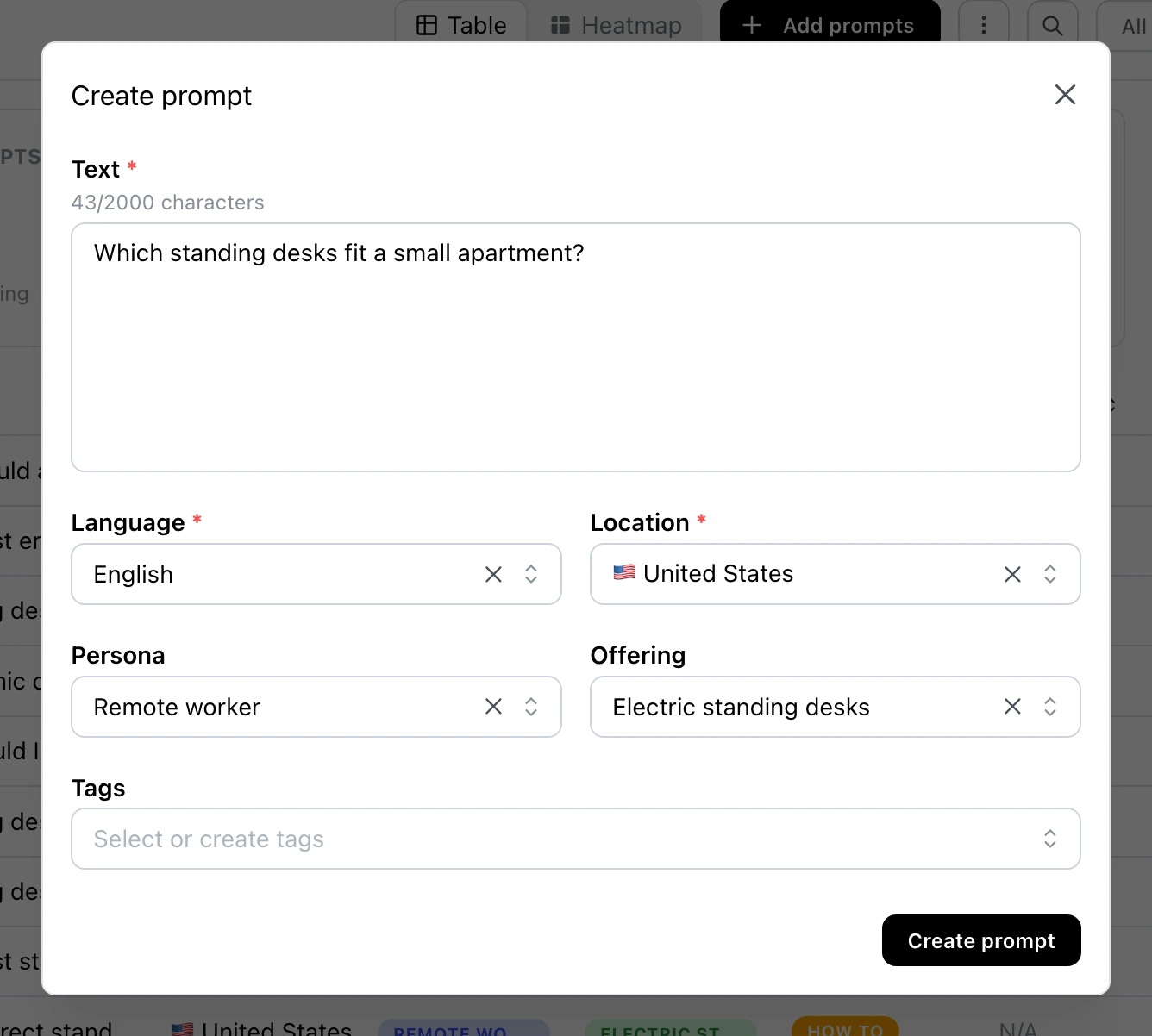
- Click Add prompts, then Add manually.
- Enter the question in Text. Write it the way a buyer would ask it.
- Check Language and Location. Use the language and country of the market you track.
- Optionally, pick a Persona and an Offering, and add Tags.
- Click Create prompt.
Upload many prompts
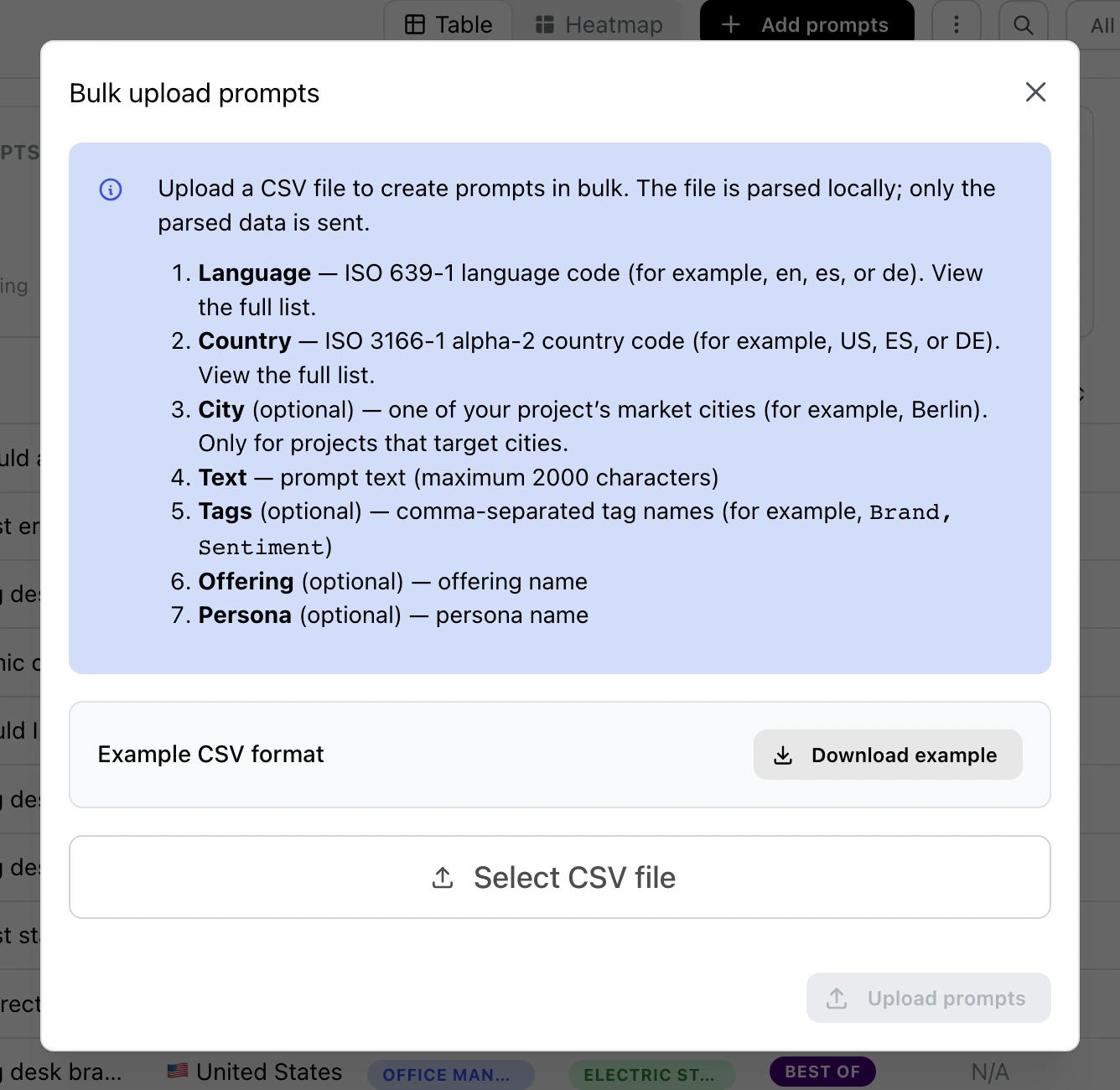
- Click Add prompts, then Upload bulk.
- Click Download example to get a CSV file in the right format.
- Keep the header row of the example and add one row per prompt:
language: a two-letter language code, for exampleen.country: a two-letter country code, for exampleUS.city(optional): one of the project's market cities. Only for projects that target cities.text: the prompt, up to 2,000 characters.tags(optional): names of tags the project already has, separated by commas.offeringandpersona(optional): names of an offering and a persona the project already has.
- Click Select CSV file, then Upload prompts.
Generate prompts
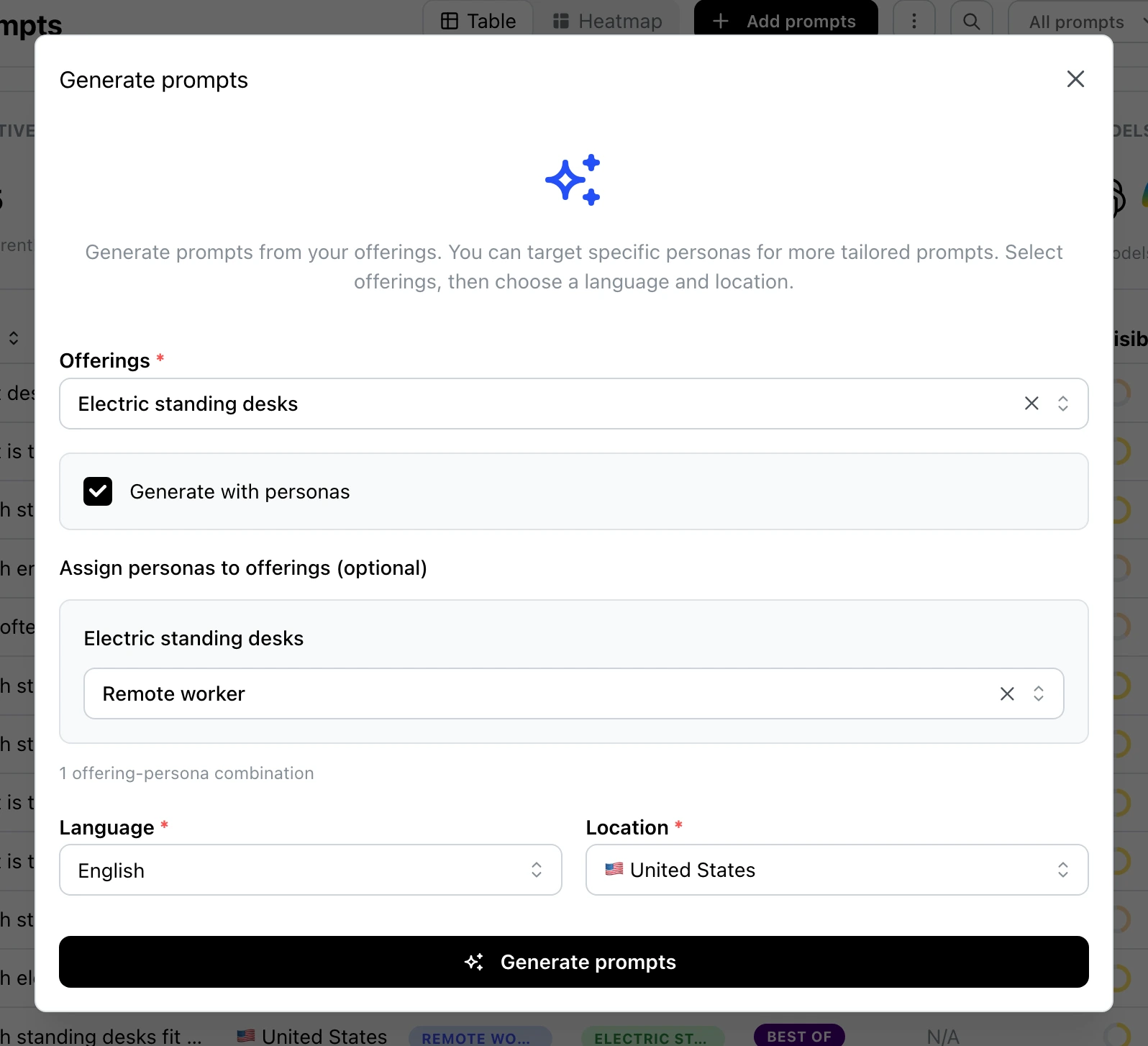
- Click Add prompts, then Generate.
- Pick one or more Offerings.
- Optionally, turn on Generate with personas and pick the personas for each offering.
- Check Language and Location, then click Generate prompts.
- Read each suggestion. Keep it, click the pencil to edit it, or clear its checkbox to leave it out.
- Click Create N prompts. N is the number you kept.
Offering, persona and tags
An offering is what the client sells. A persona is the type of buyer who asks the question. Both are optional: a general question can go without a persona. Generated prompts get the offering and the personas you picked.
When a prompt has an offering or a persona, the Breakdown on the Dashboard shows its results for that offering or persona on its own. See Read your client's results.
Tags let you group prompts any way you like.
To change the tags, persona, or offering of many prompts at once, open the ⋮ menu next to Add prompts and click Bulk Edit.
Volume
The Volume column estimates how often people search for a prompt's topic. Temso turns each prompt into a few search keywords and adds up their monthly searches. For a new prompt, it appears within 24 hours.
Tips for good prompts
- Start with questions that name no brand, like Which standing desks fit a small apartment? They show if AI recommends your client when buyers do not ask for it by name.
- Then add a few questions that name your client, to see what AI says about it directly.
Pause or archive a prompt
Whenever you want, you can pause a prompt: click the pause icon in its row and confirm. A paused prompt is not asked and does not count toward your prompt limit, and you can resume it later. To remove a prompt, click the edit icon in its row, then Archive.